
School management system · Pre-school, school, college
The school management system that skips nothing.
Zeroskip runs admissions, attendance, fees, exams and accounts in one place. Then it turns your school's own procedures into steps with an owner and a due time, so no step gets skipped.
For CBSE and Kerala State schools in India and Indian-curriculum schools in the UAE.
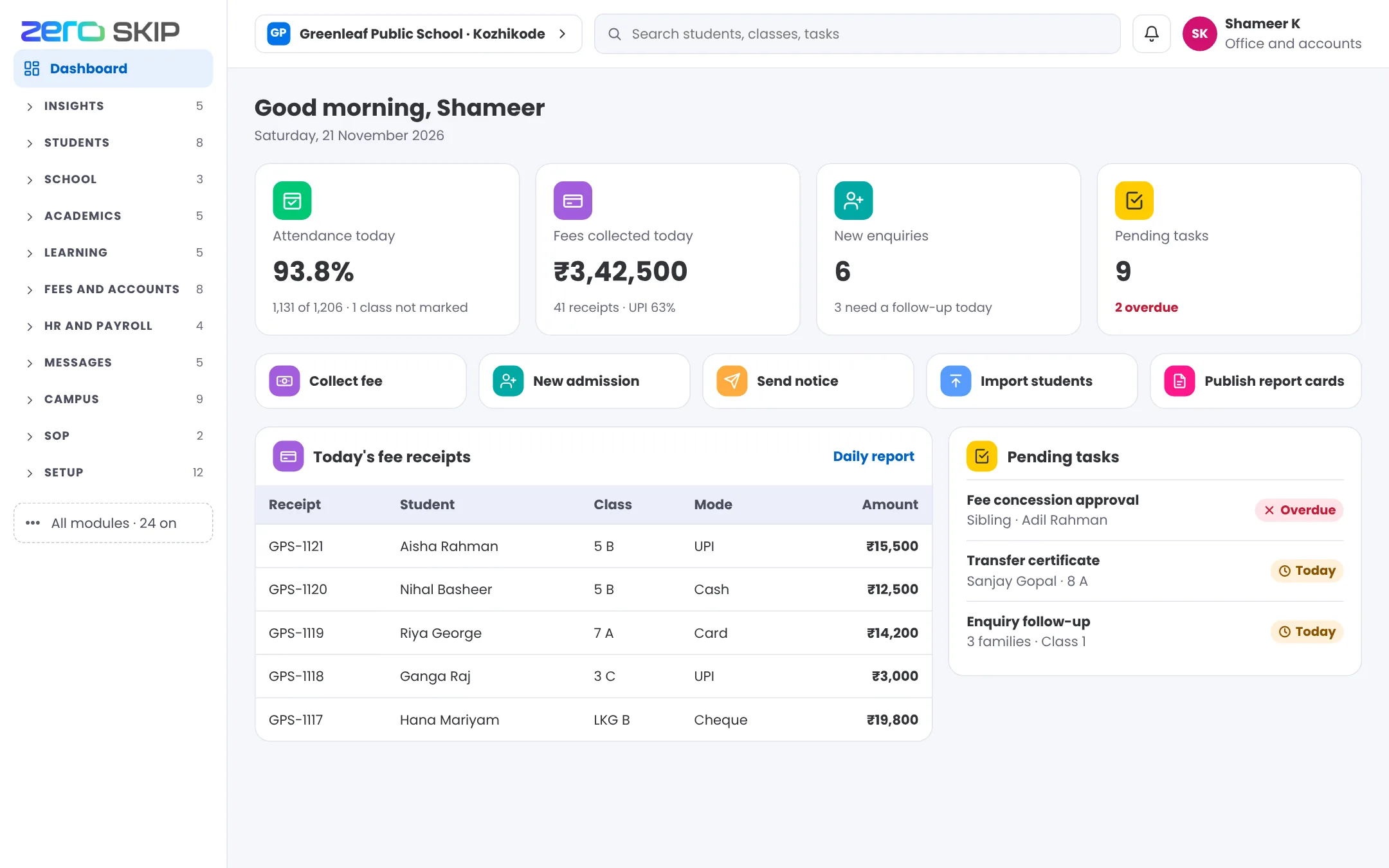
- Office, teachers and families on one system
- Your SOPs built in, with a record of every step
- Family app and Staff app included
- Data hosted in your region
Why it is called Zeroskip
Your procedures stop living in a file nobody opens
Every school has rules for a fee concession, a long absence or an early pickup. Zeroskip turns each rule into steps. Each step has an owner, a due time and a record.
- TriggerConcession requestParent or office
- TaskClass teacher noteClass teacher · 1 day
- ApprovalPrincipal approvesPrincipal · 2 days
- DecisionAbove the limit?Set by your school
- ApprovalGroup approvesGroup finance
- System actionUpdate fee planDone by Zeroskip
- NotificationTell the parentApp and WhatsApp
Example: fee concession approval, one of the five starter SOPs.
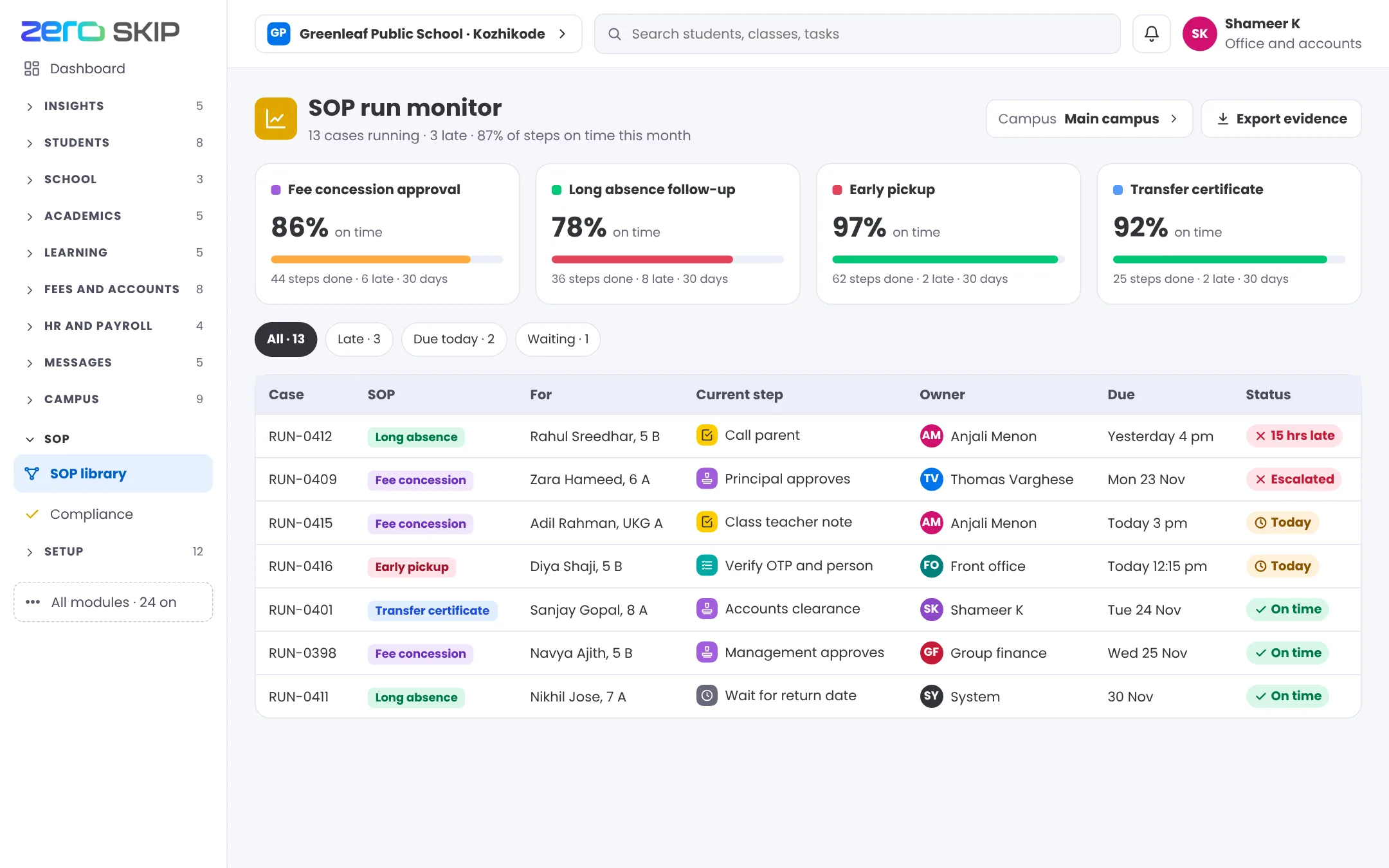
See every case that is running, and every step that is late
- Late steps remind the owner, then go to the next person by role
- Evidence exports for audits and inspections
- Five starter SOPs included. Design your own with the node builder
Fees and accounts
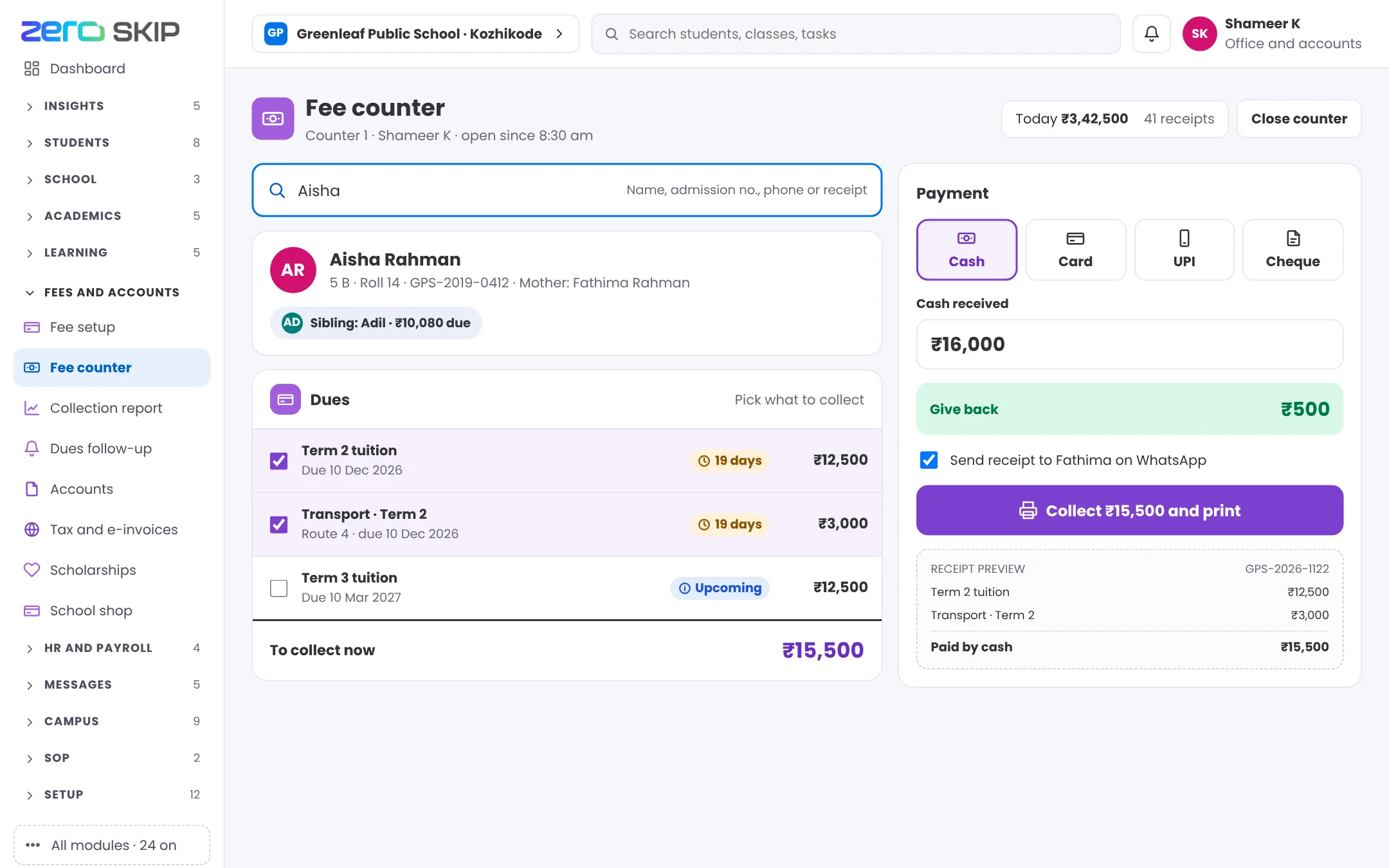
Collect fees at the counter or in the app. The books update themselves.
Fee plans, receipts, dues follow-up and the day book sit in the same system, so the office does not key anything twice.
- Fee plans by class, term and concession
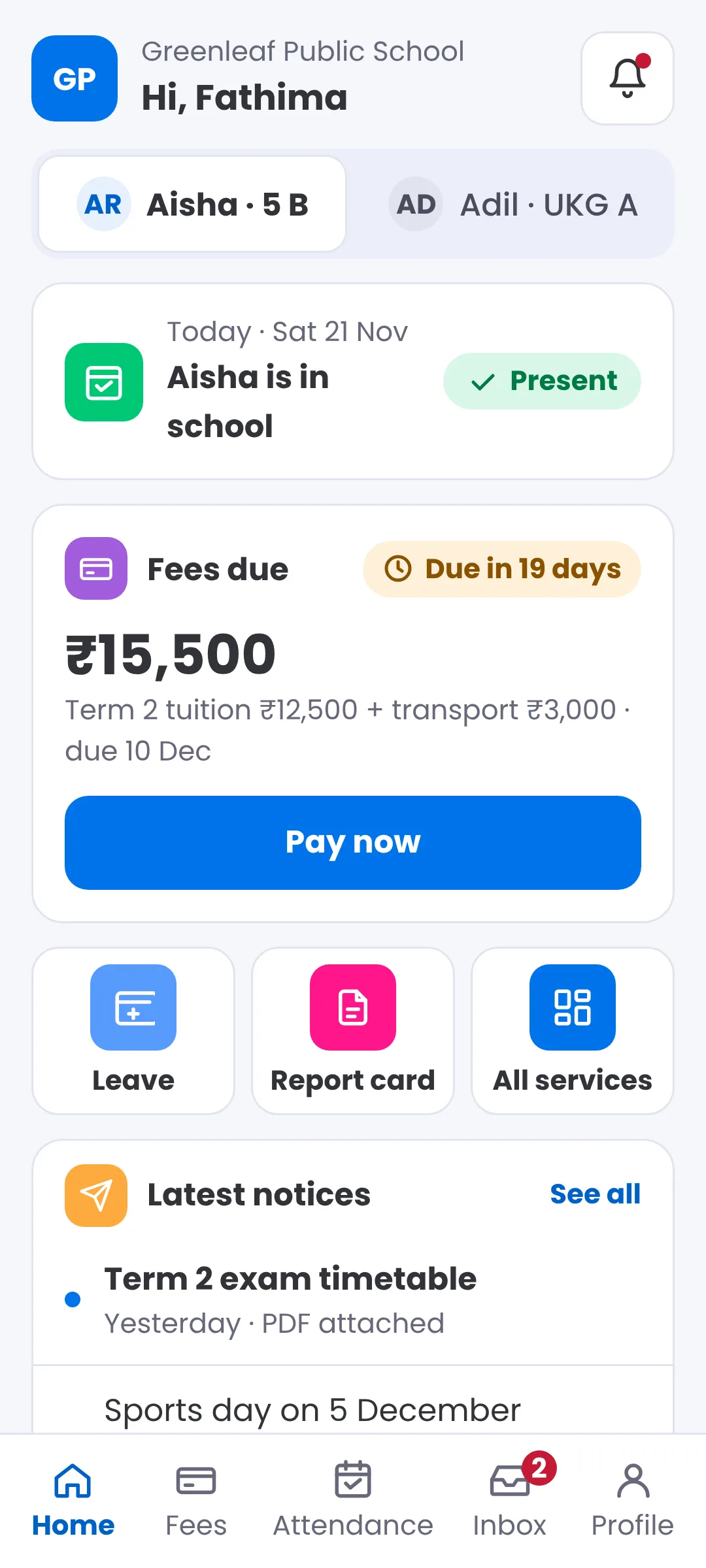
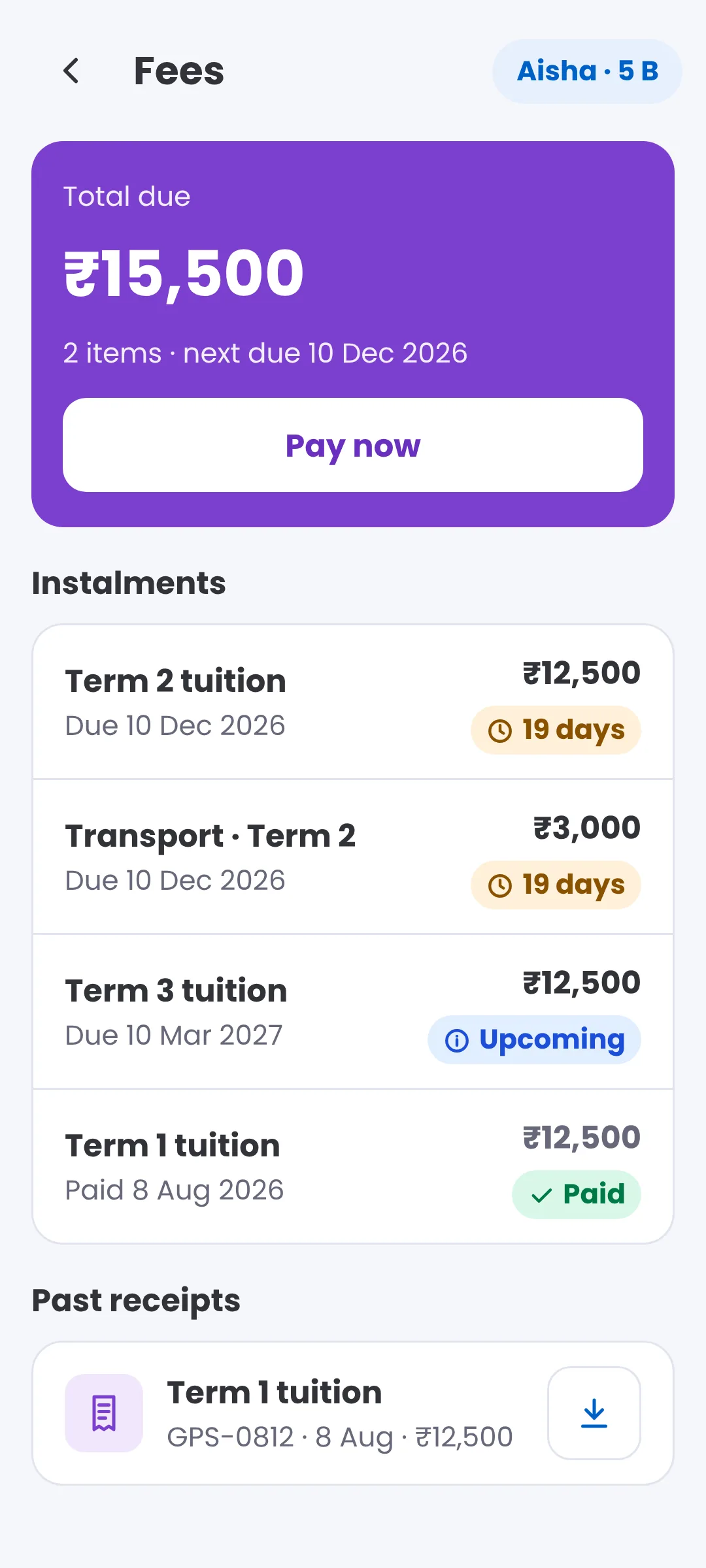
- Receipts at the counter and online payment in the Family app
- Dues list with reminders by app, WhatsApp and SMS
- Vouchers, day book and bank reconciliation
Family and Staff apps
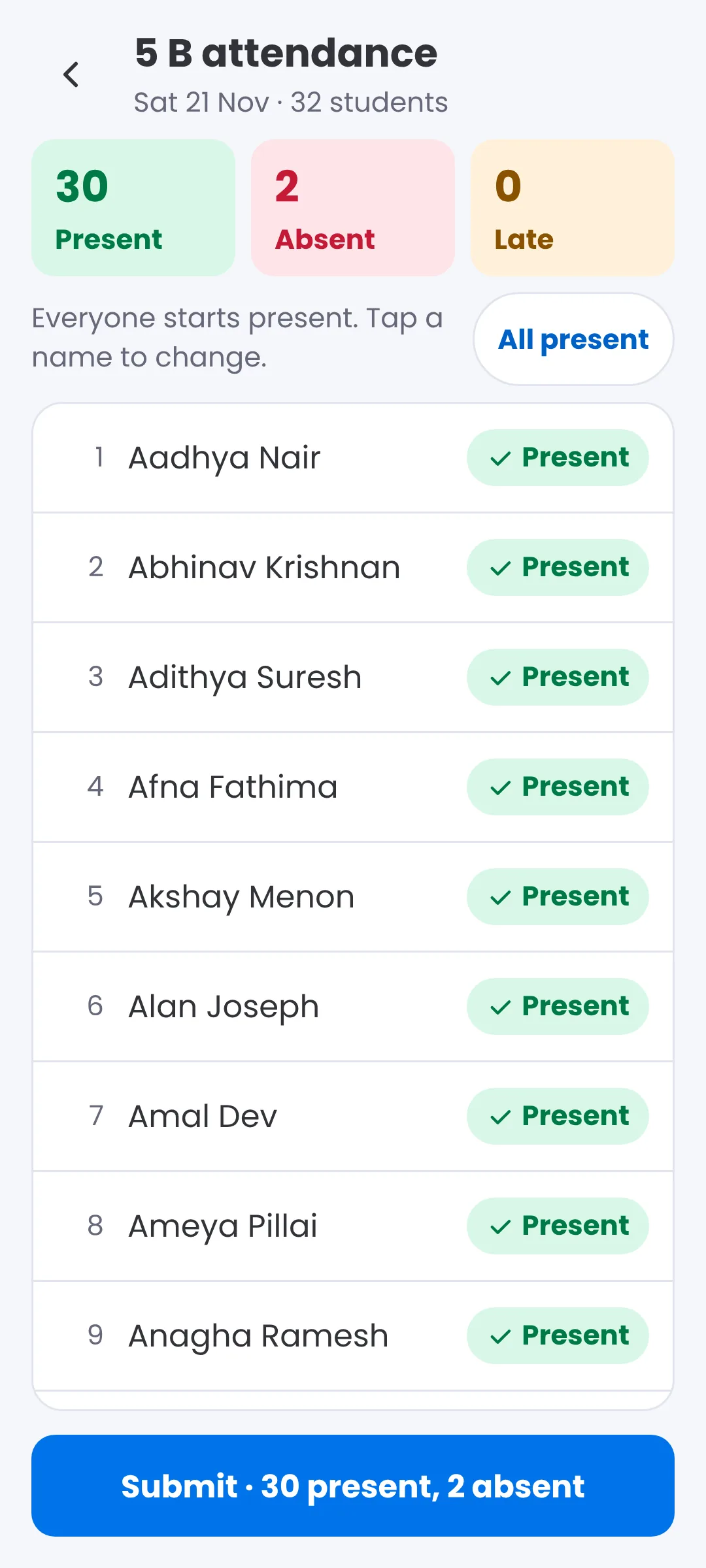
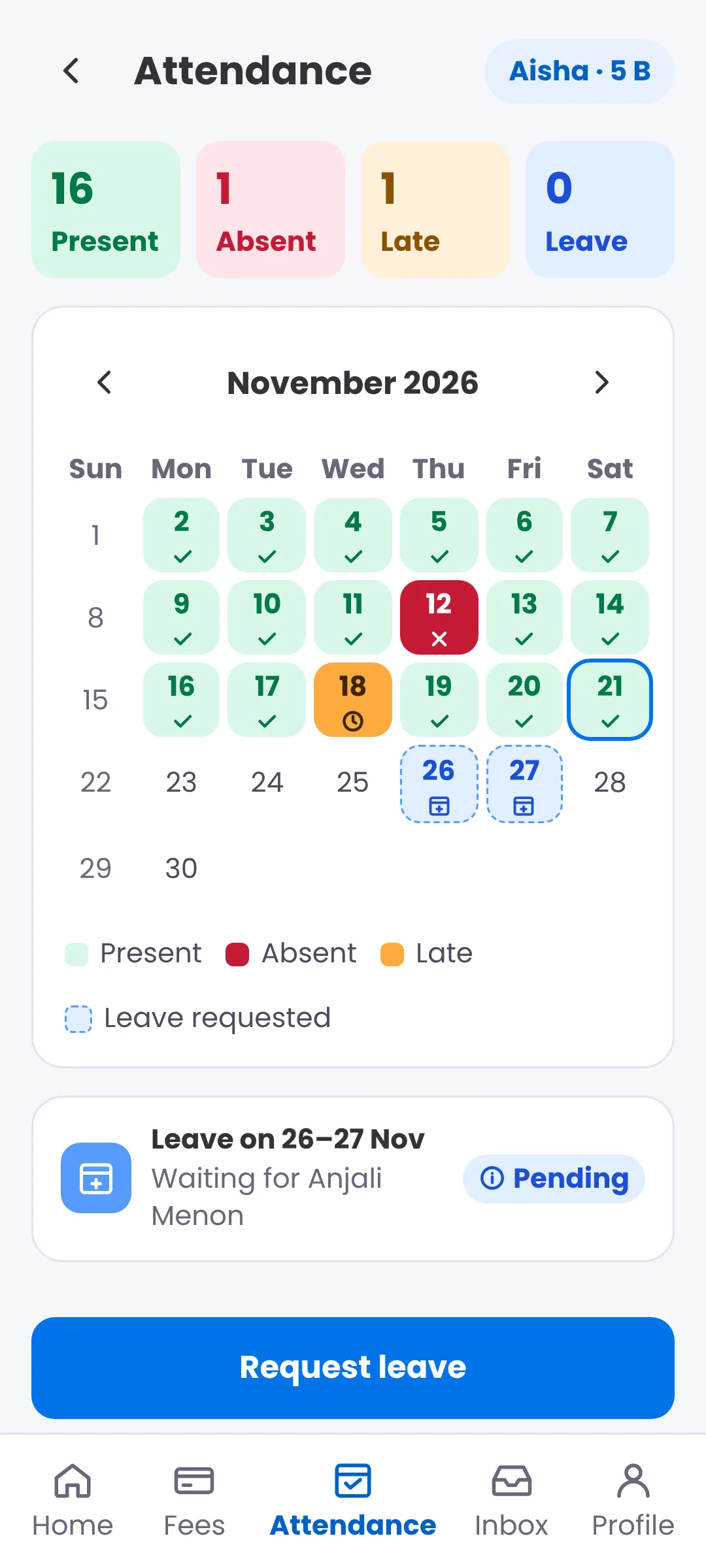
Attendance from the classroom. Parents see it the same morning.
Teachers mark attendance in the Staff app. Absences reach parents in the Family app, and a long absence starts a follow-up SOP.
- Day or period attendance by class
- Leave requests from parents in the app
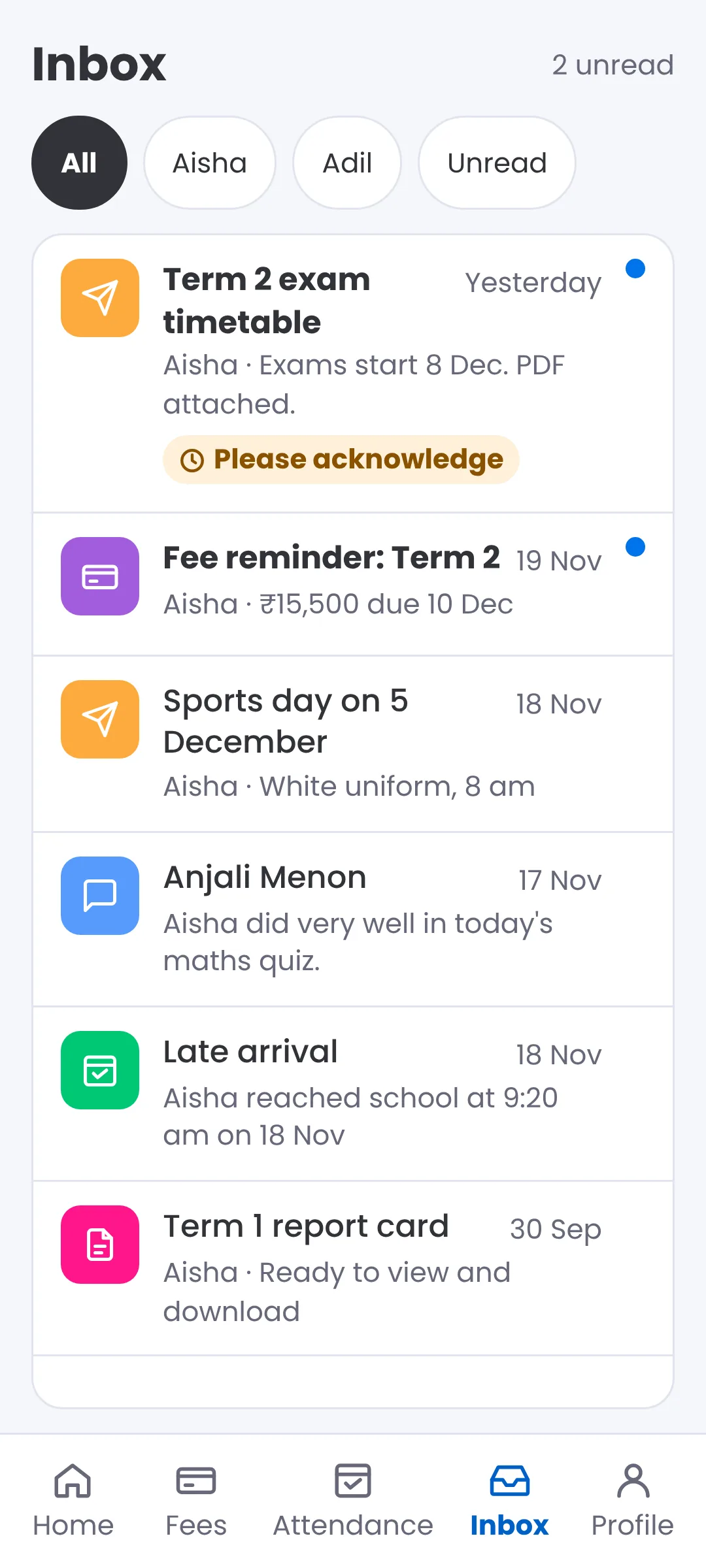
- Notices, fees and report cards in the same app
- One Family account for all the children in a family
Product
School ERP software without the patchwork
One sign-in for the office, teachers, the principal and the group. Start with the launch modules and switch on more when you need them.
Admissions and students
Enquiry to admission, one record per student, transfers and certificates.
Attendance
Day or period attendance for students and staff, with absence follow-up.
Fees and accounts
Fee plans, counter, online payment, dues, vouchers and the day book.
Exams and report cards
Schedules, marks and report cards in your board format.
Notices and messages
Notices by app, WhatsApp and SMS, with forms and surveys.
Staff, leave and payroll
Staff records and leave at launch. Payroll follows in the next release.
SOPs and compliance
Starter SOPs, a run monitor and evidence for inspections.
Group console
One view across campuses for groups and trusts, with group notices and transfers.
Who it is for
One system for every stage
A pre-school, a school and a college work differently. Each gets its own edition on the same platform, and a group sees them together.
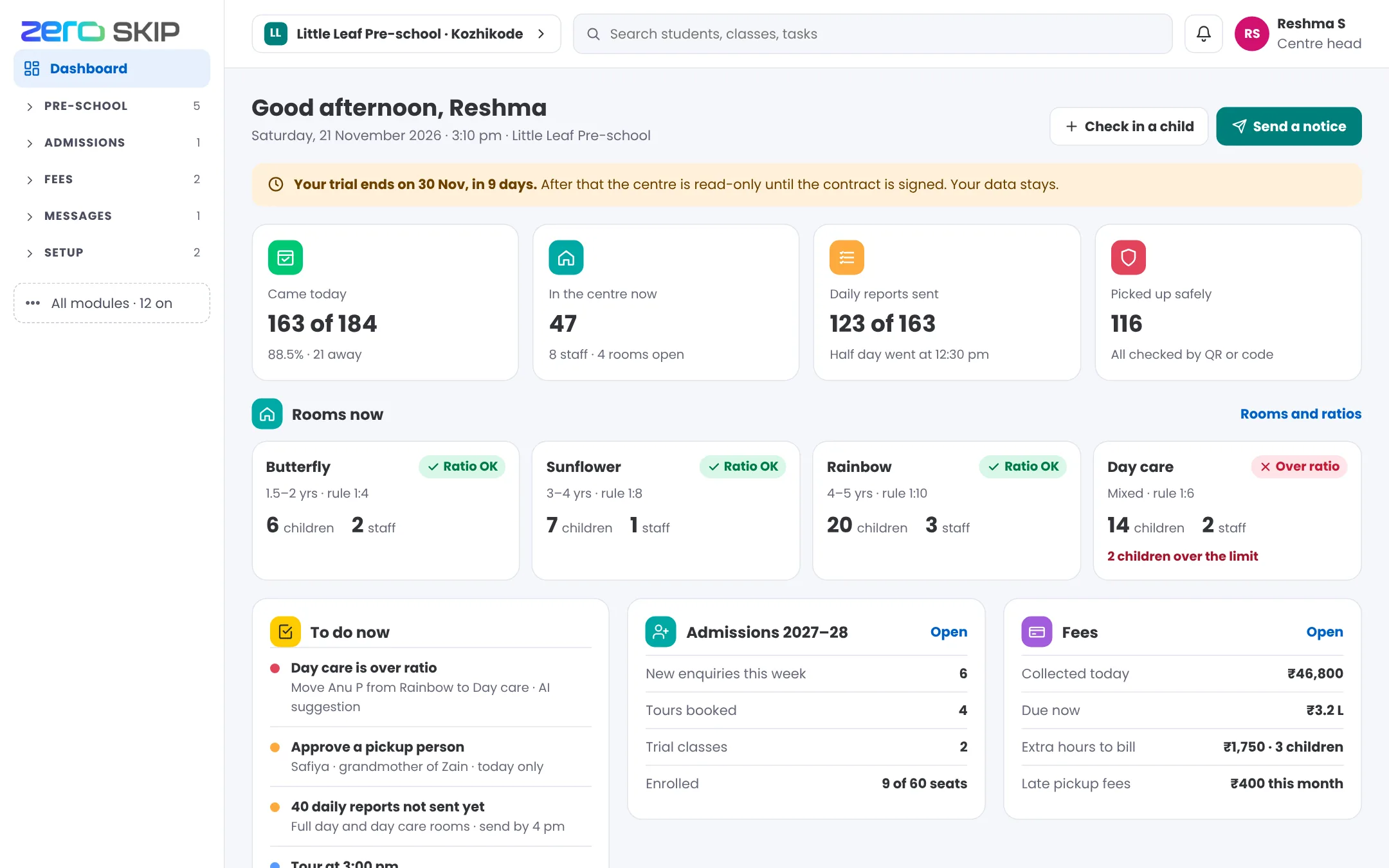
Pre-school
BetaDaily reports, safe pickup and flexible billing.
School
At launchClasses, exams, report cards, fees and SOPs.
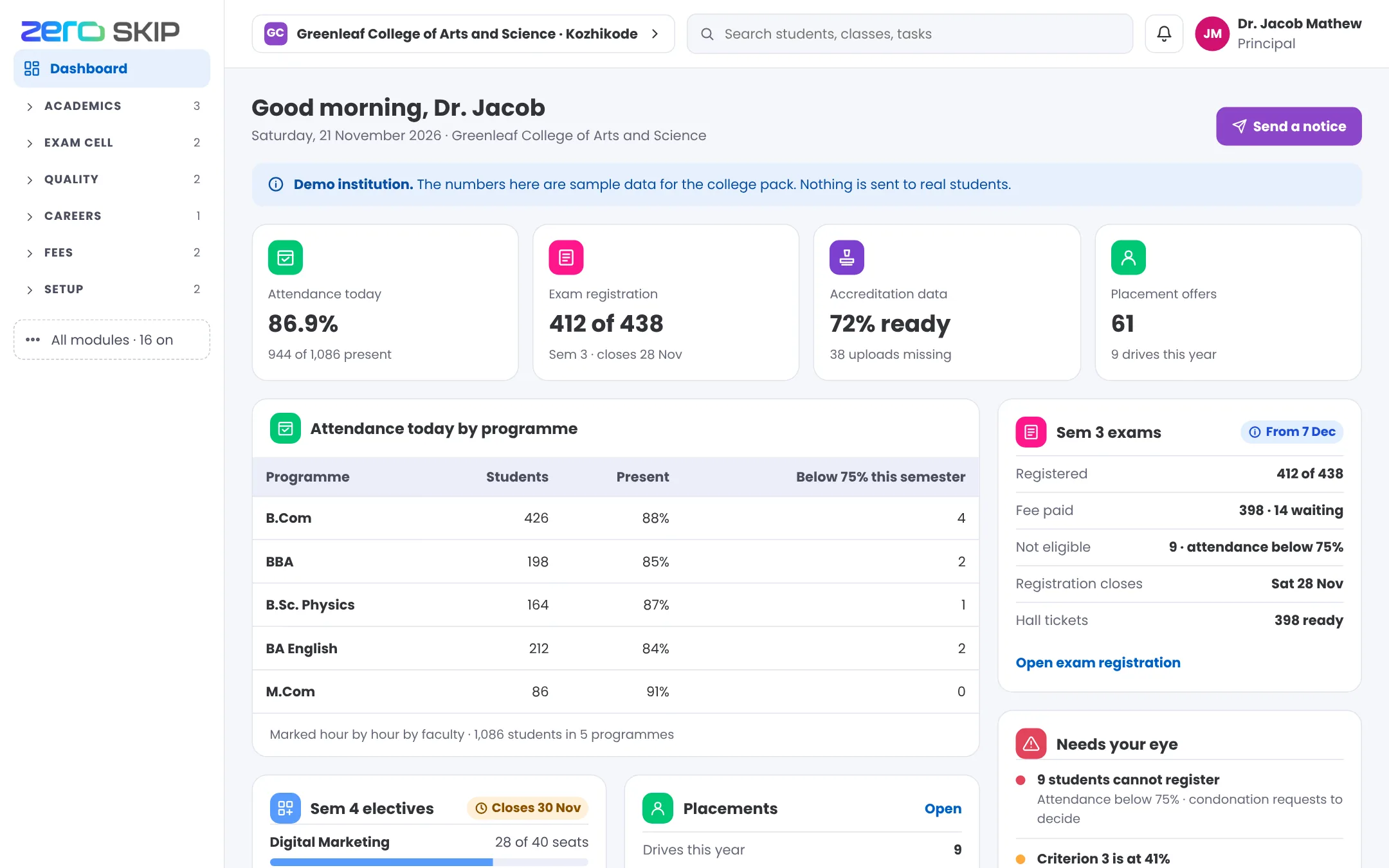
College
Early accessProgrammes, credits and the exam cell.
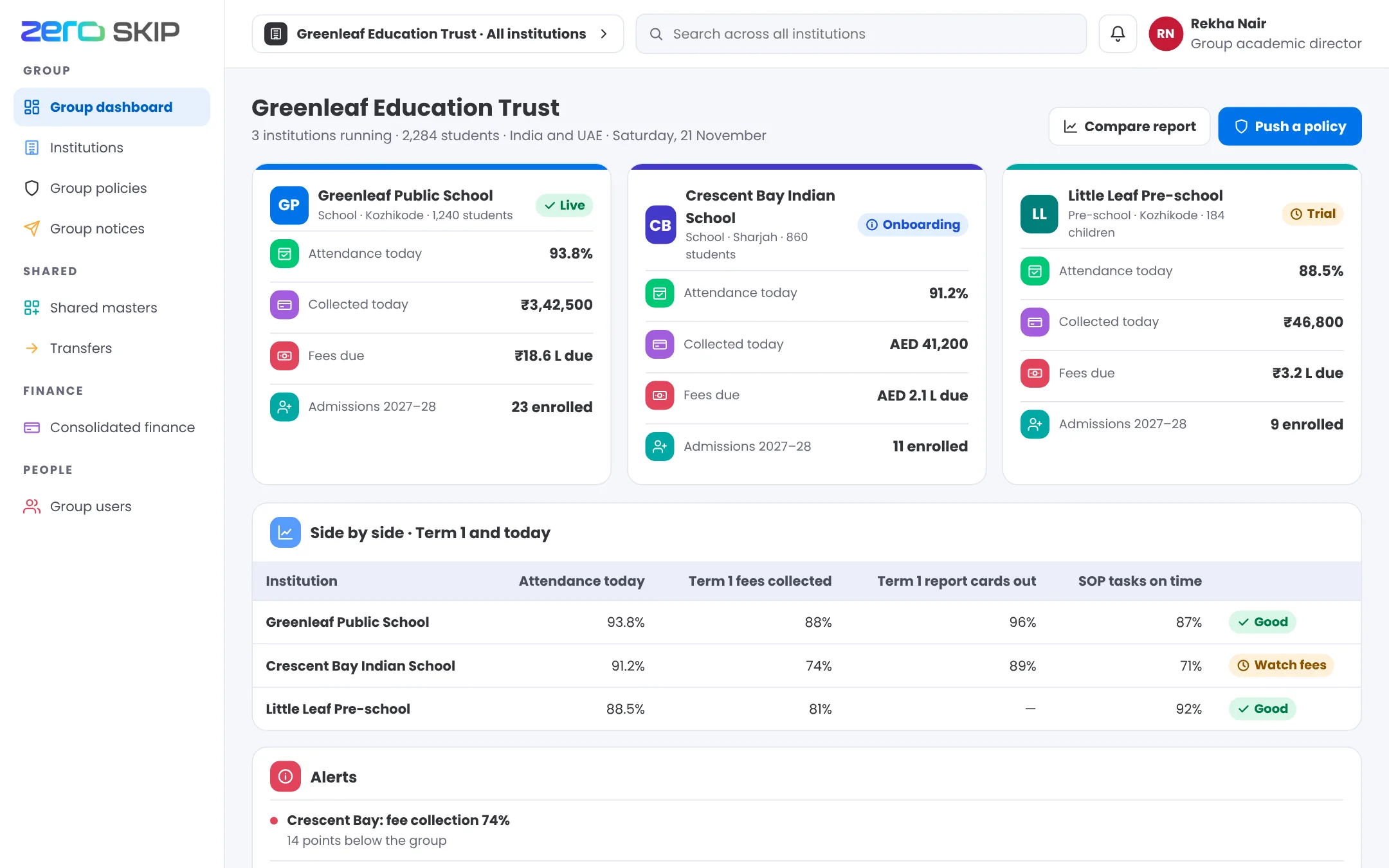
Groups and trusts
At launchOne console across every campus.
Countries
A country pack sets the local rules
Currency, tax, weekend, board formats and hosting region come from the country pack your school is set up with.
- IndiaAt launchRupees, GST, CBSE and Kerala State packs, India hosting.
- United Arab EmiratesAt launchDirhams, VAT, Saturday to Sunday weekend, UAE hosting.
- United KingdomPlannedA school MIS for independent schools and nurseries.
- MalaysiaPlannedPrivate schools, kindergartens and tuition centres.
- Saudi ArabiaPlannedIndian-curriculum and international schools.
- KuwaitPlannedIndian-curriculum schools, dinar billing.
FAQ
Questions schools ask
What is a school management system?
A school management system is software that keeps a school's daily work in one place: admissions, student records, attendance, fees, exams, report cards, staff and messages to parents. Zeroskip also holds the school's written procedures (SOPs) and tracks each step.
Is Zeroskip a school ERP?
Yes. Zeroskip covers what schools ask of school ERP software: fees, accounts, exams, records and staff. What it adds is the SOP layer, so the steps between people are tracked, not only the data.
Which boards and countries does it support?
At launch: CBSE and Kerala State schools in India, and Indian-curriculum schools in the UAE. Country packs for the UK, Malaysia, Saudi Arabia and Kuwait are planned.
Do parents and teachers need separate apps?
There are two apps: Family for parents and students, Staff for teachers and office staff. A school that wants its own name in the app stores can add a branded app.

See Zeroskip with your own school in mind
Tell us about your school. We will show the modules you need, with your classes, your fee heads and one of your own procedures.
Or call [YOUR PHONE] · WhatsApp [YOUR WHATSAPP]